WEEK 11
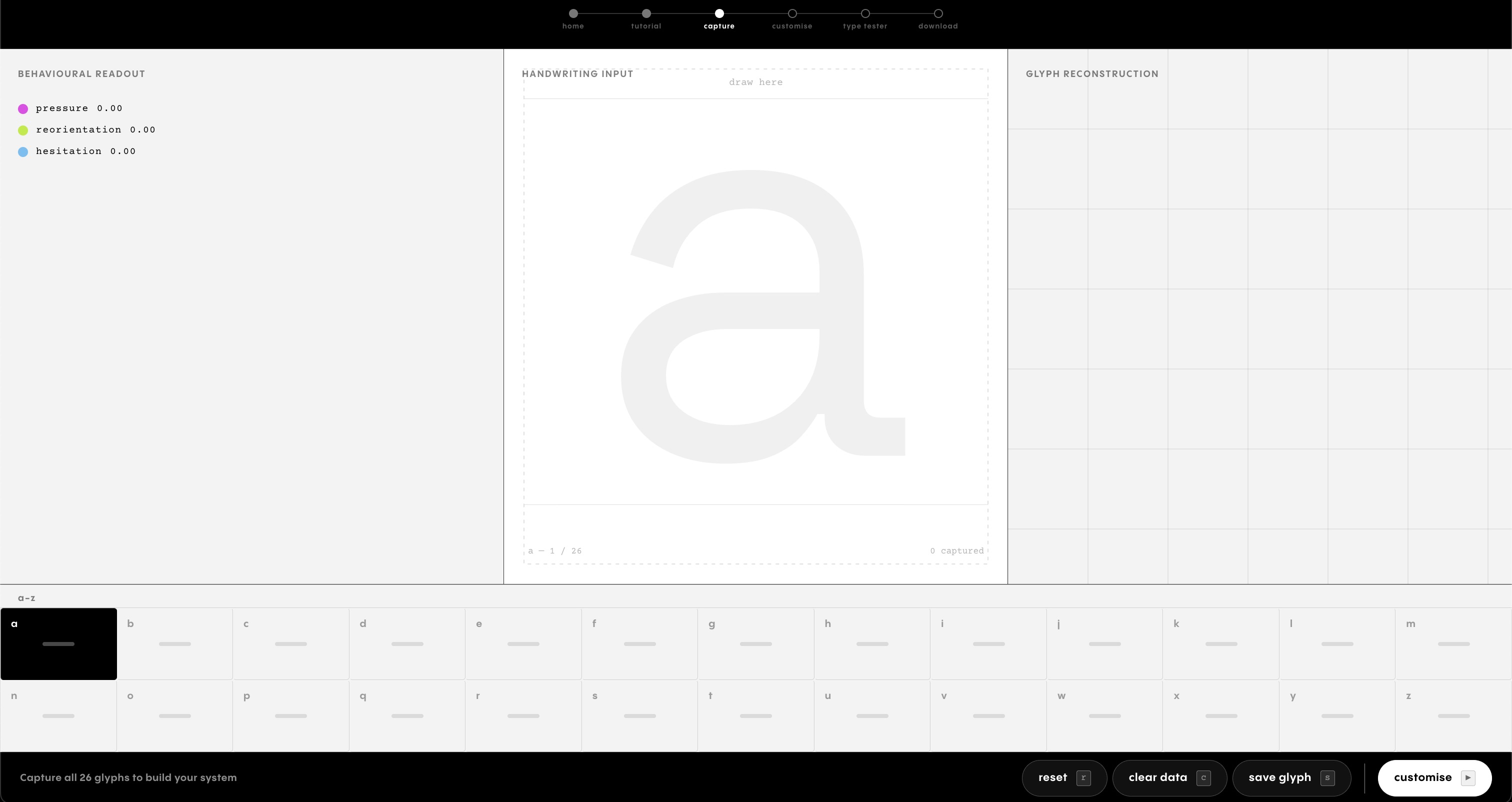
WEBSITE PRODUCTION
Building the website as a connected system
This week focused on understanding and refining how the website actually works as a system. Rather than only styling pages, I looked more closely at how shared data, rendering logic, and export processes connect the tool from input to output.
System architecture and data flow
Understanding how modules share state across pages, and how handwriting data moves from capture through processing to output.
Behavioural processing and reconstruction logic
Breaking down how speed, pressure, and direction are detected, then translated into rule-based geometric reconstruction in real time.
Output preparation and font construction
Converting reconstructed glyphs into vector shapes, structuring them for OTF export, and ensuring the font works beyond the tool.
[ System architecture ]
How the code works together
A continuous shared-state structure
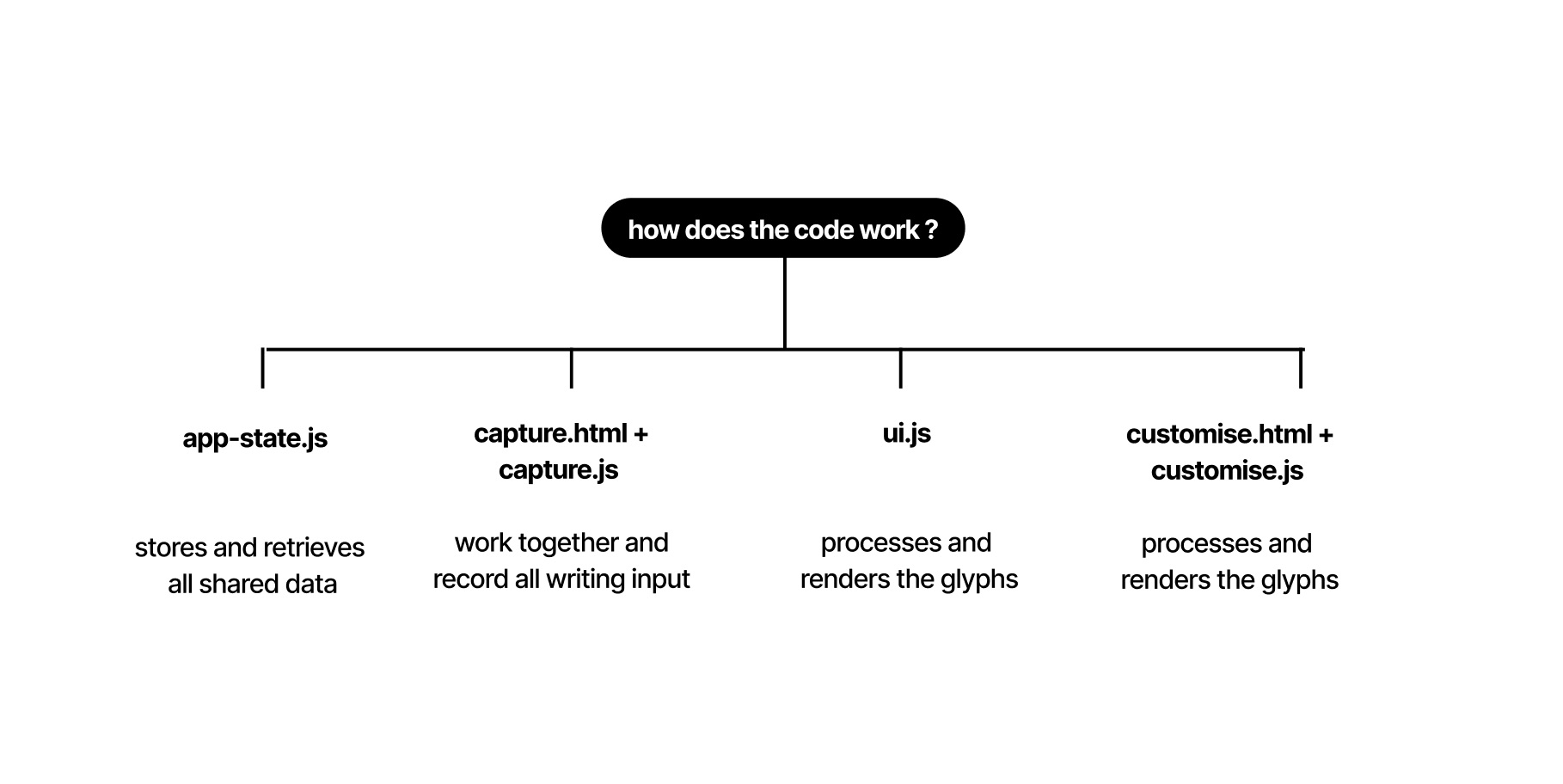
The website is structured across four connected modules, each handling a different part of the behavioural glyph system.
- app-state.js
Stores and retrieves shared data across the site. - capture.js
Records handwriting input and saves point-based data. - ui.js
Processes signals and renders the reconstructed glyphs. - customise.js
Applies parameter changes and updates the preview in real time.
These modules do not work independently. Each one reads from and writes to the same shared state, which keeps the system continuous from capture to customisation, testing, and export.
[ Data structure ]
How data is stored
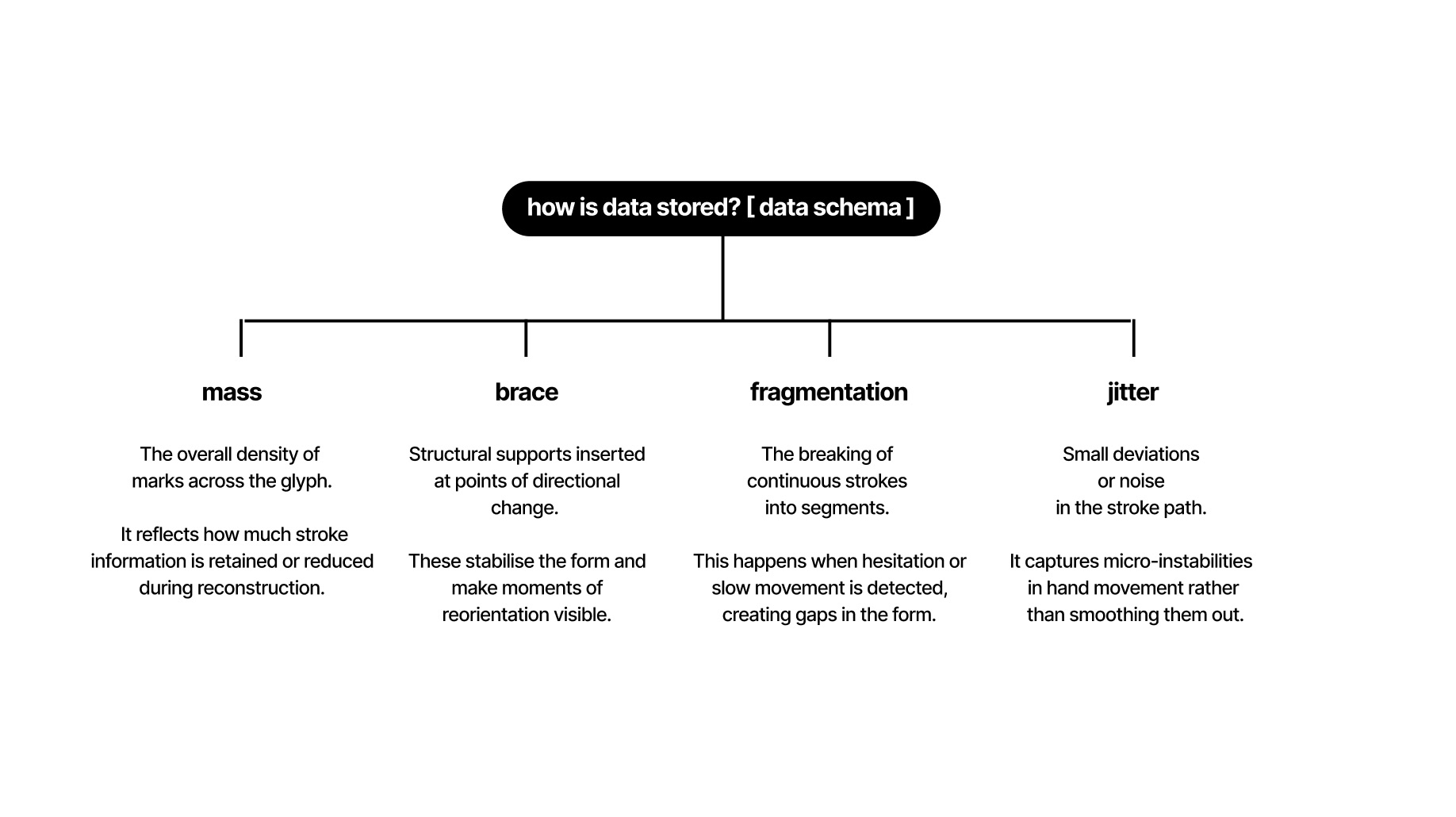
Behavioural data schema
The system stores handwriting as structured behavioural data rather than as a static image. Each glyph begins as a sequence of captured points, and every point contains:
- x position
- y position
- timestamp
- pressure value
From this raw point stream, the system derives behavioural events such as hesitation, reorientation, and force. These events are then translated into reconstruction rules, producing things like fragmentation, braces, and changes in mass.
This means the system is not simply redrawing a letter. It is rebuilding the glyph from the way the letter was written. The final form therefore retains a direct relationship to the writing behaviour that produced it.
[ Rendering pipeline ]
[ ui.js ]
Processing within the rendering pipeline
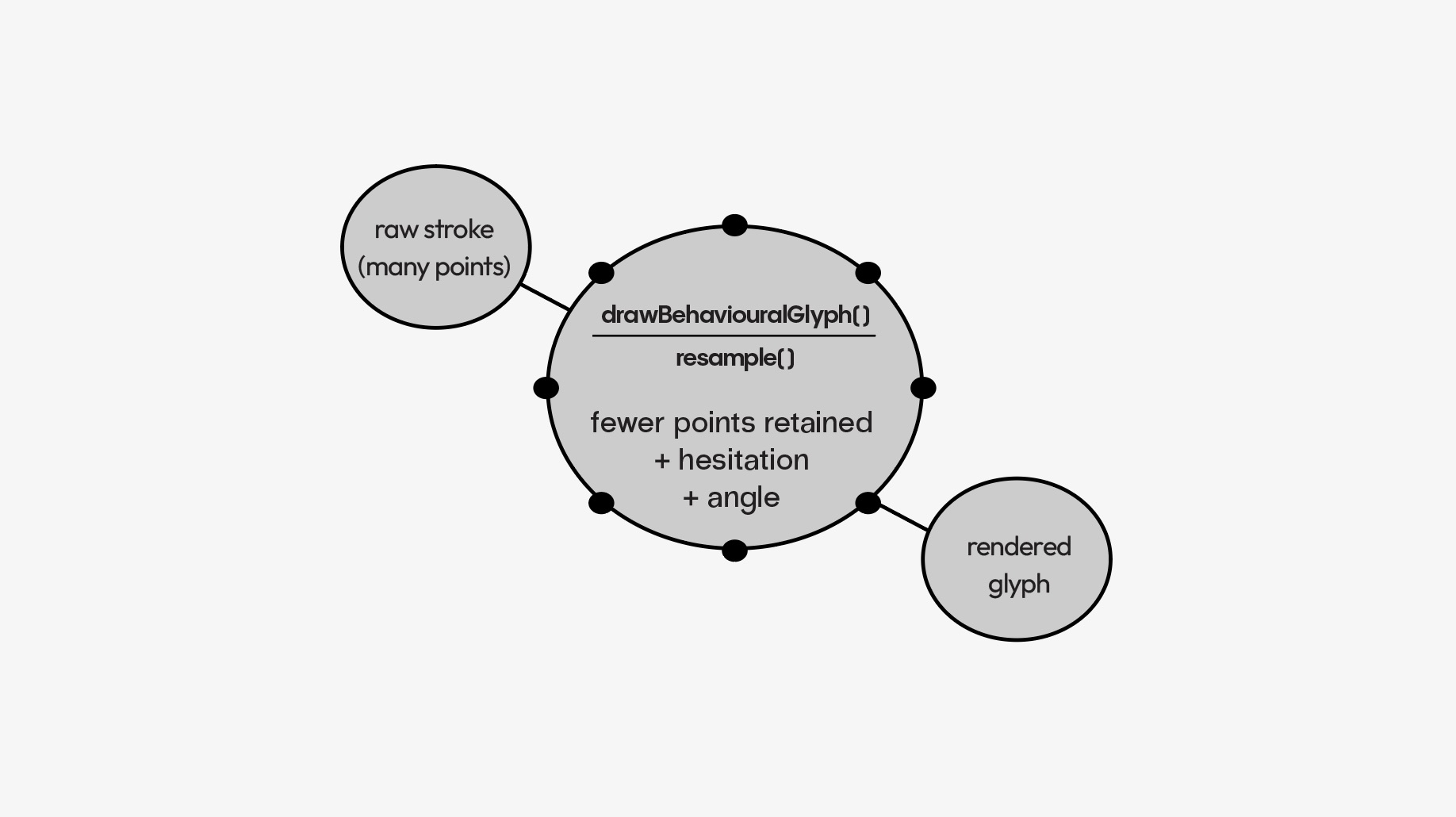
Processing happens inside the rendering pipeline as the captured point data is read and interpreted. Speed, direction, and pressure are analysed in sequence, and behavioural events are detected as the stroke is processed.
These events are then immediately mapped to geometric rules. Pressure affects mass, hesitation introduces interruption, and reorientation produces directional shifts. The glyph is therefore not drawn first and processed later. It is constructed live through rule-based decisions.
This is important because it means the final form is not a decorative layer placed on top of the handwriting. It is the result of a behavioural reconstruction pipeline.
[ Resampling ]
What is resampling in code?
Redistributing uneven input for clearer analysis
Resampling standardises the handwritten input into evenly spaced points. The original captured data is often uneven because the hand moves at different speeds across the stroke. Some areas contain dense clusters of points, while others contain fewer.
To make the data more usable, the stroke is redistributed along its path at a fixed interval. This creates a more consistent sequence of points, making it easier to compare speed, direction, and pressure across the whole letter.
Using the handwritten a and its behavioural readout, resampling helps stabilise the input before signal detection. It does not change the path itself, but it makes the captured movement more reliable for analysis.
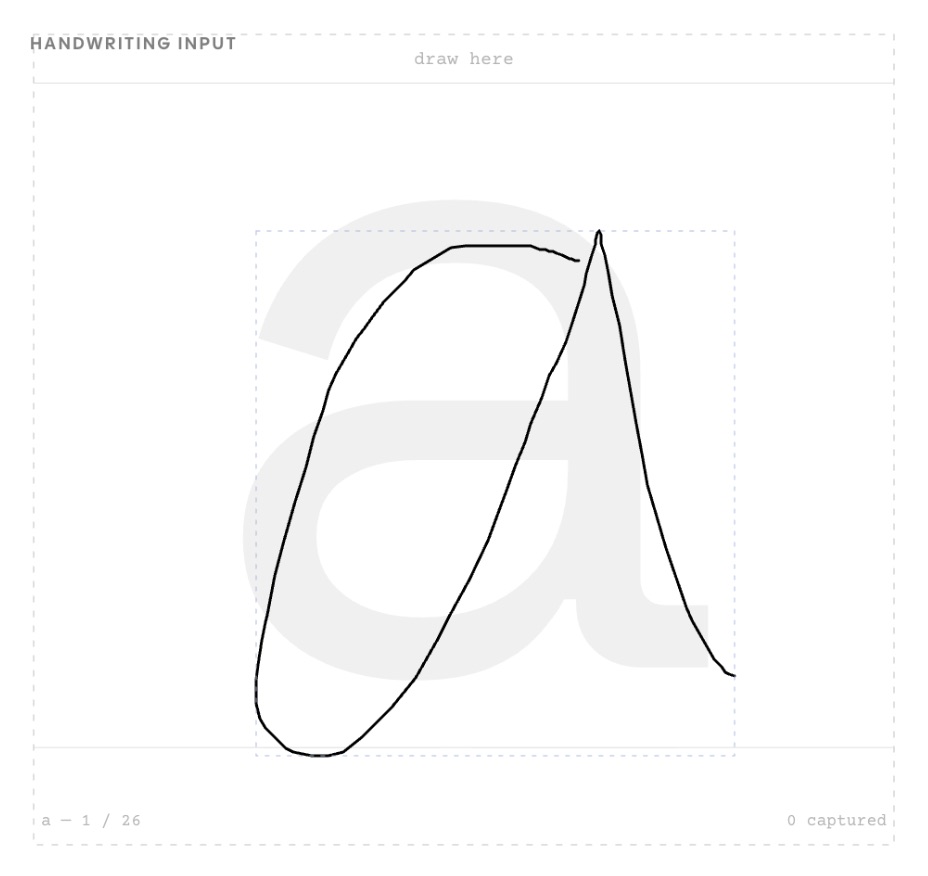
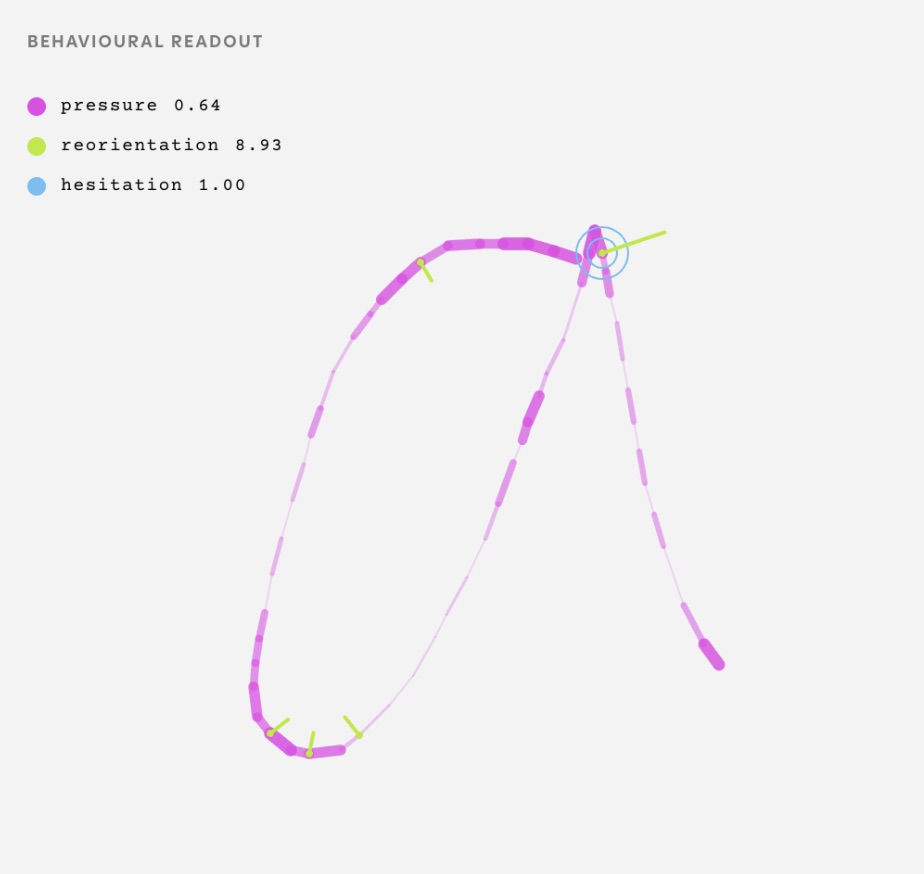
Resampling redistributes uneven input into consistent points for analysis.
[ Font construction ]
Converting glyphs into a usable OTF
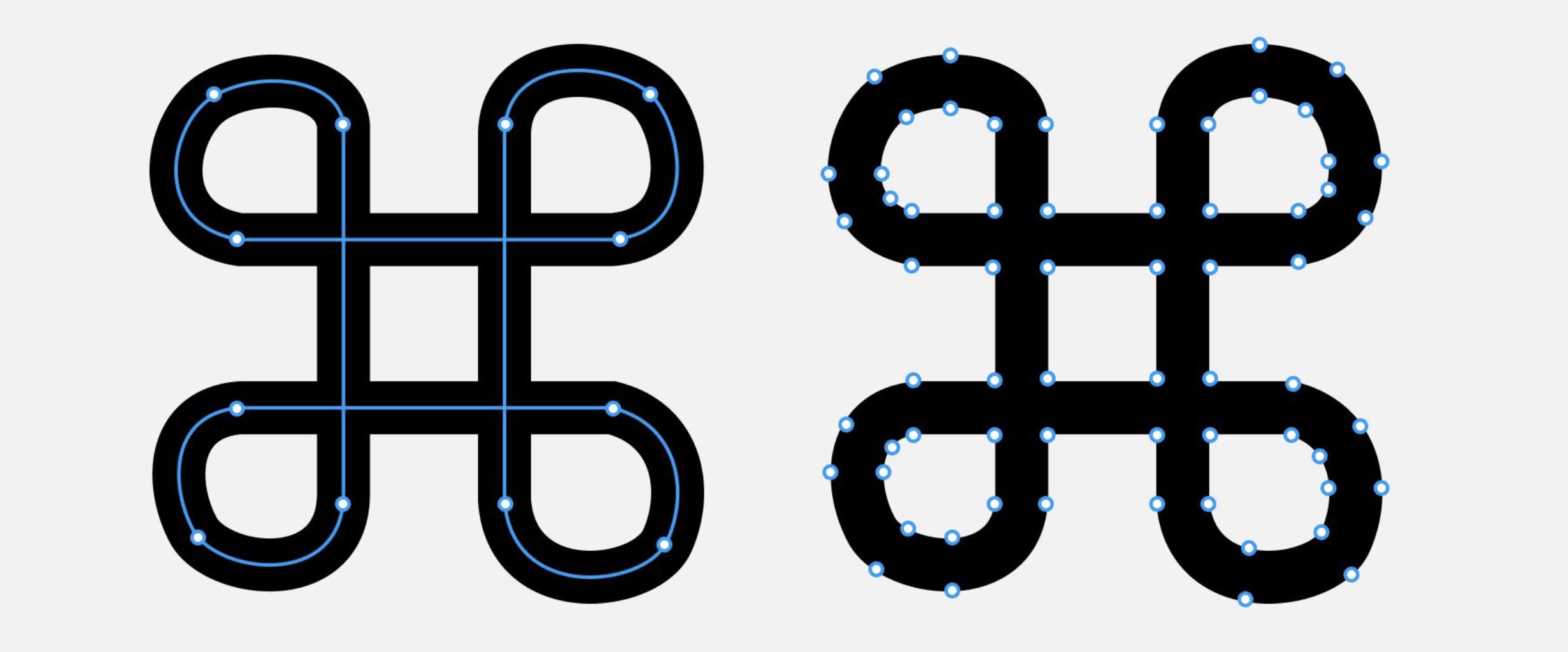
1. Converting strokes into filled vector shapes
To export the glyphs as a usable OTF, the reconstructed strokes first need to become filled vector shapes. A font file does not recognise open strokes in the same way a drawing sketch does. It needs closed outlines that can be rendered consistently as glyphs.
This means the reconstructed line-based forms must be shifted from stroke logic into shape logic. The process moves from path to outline, preparing each glyph for export into a font format that can be used beyond the website.
Completing the font system
2. Defining the non-derived glyphs
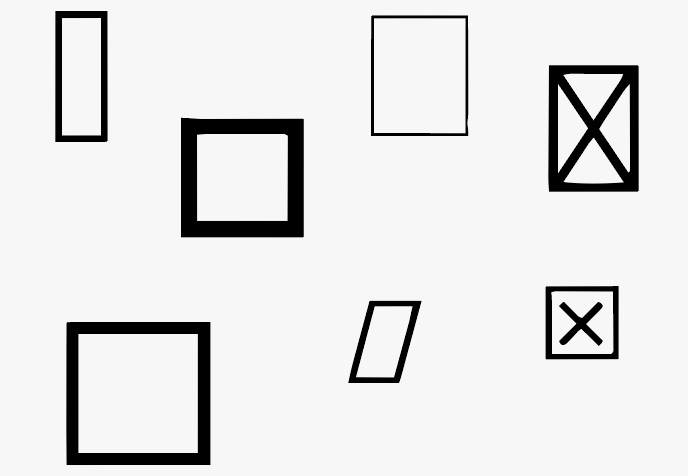
Once the main a–z glyphs are established, the remaining characters also need to be defined so the font can function properly. This includes punctuation, numerals, symbols, and any unsupported characters outside the behavioural set.
These are assigned basic placeholder forms so the font remains structurally complete. Even though they are not behaviourally derived in the same way as the a–z glyphs, they are still necessary for the OTF to behave properly in use.
[ Key working pages ]
Main user flow
Connected stages within one behavioural system
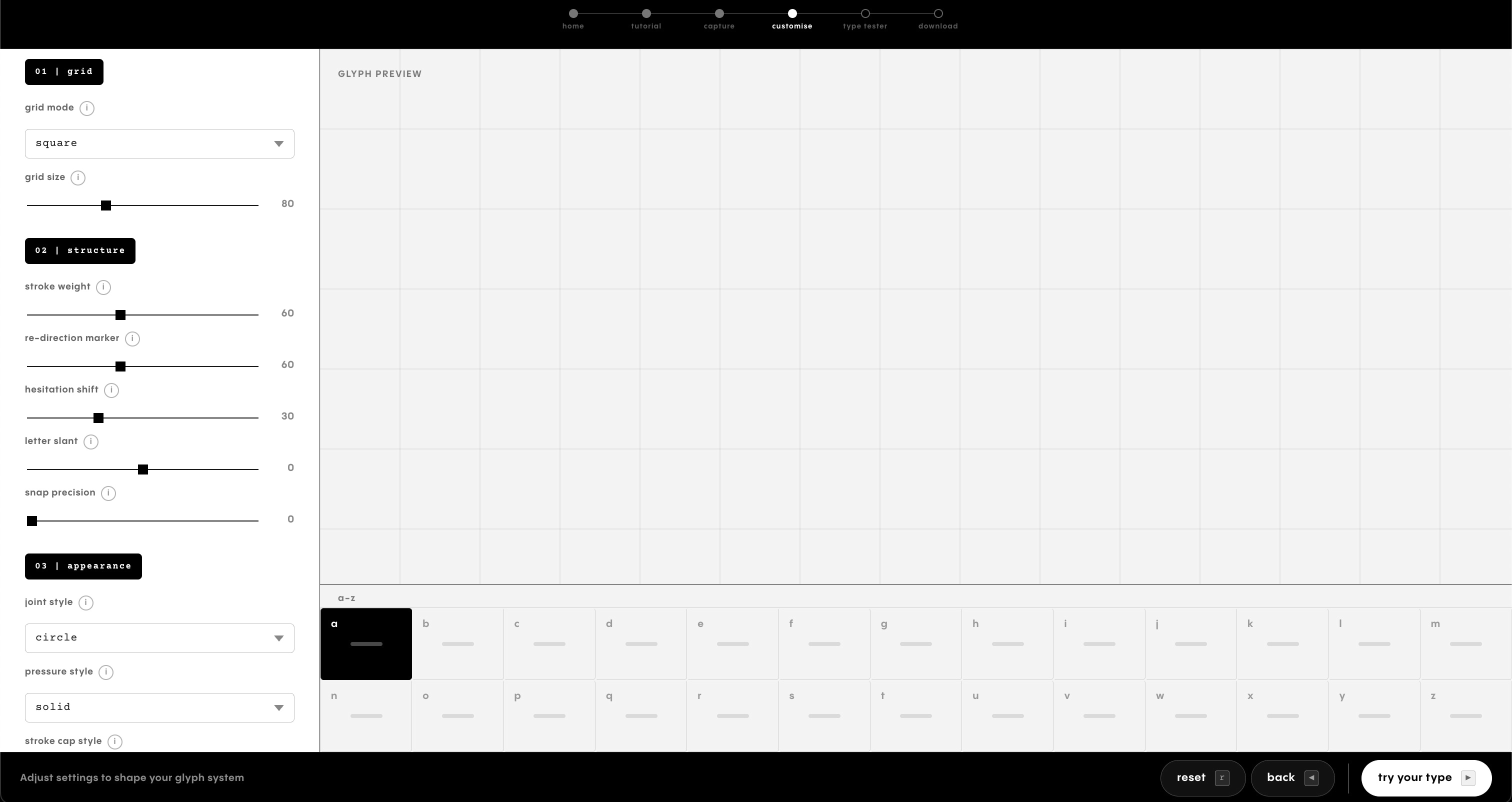
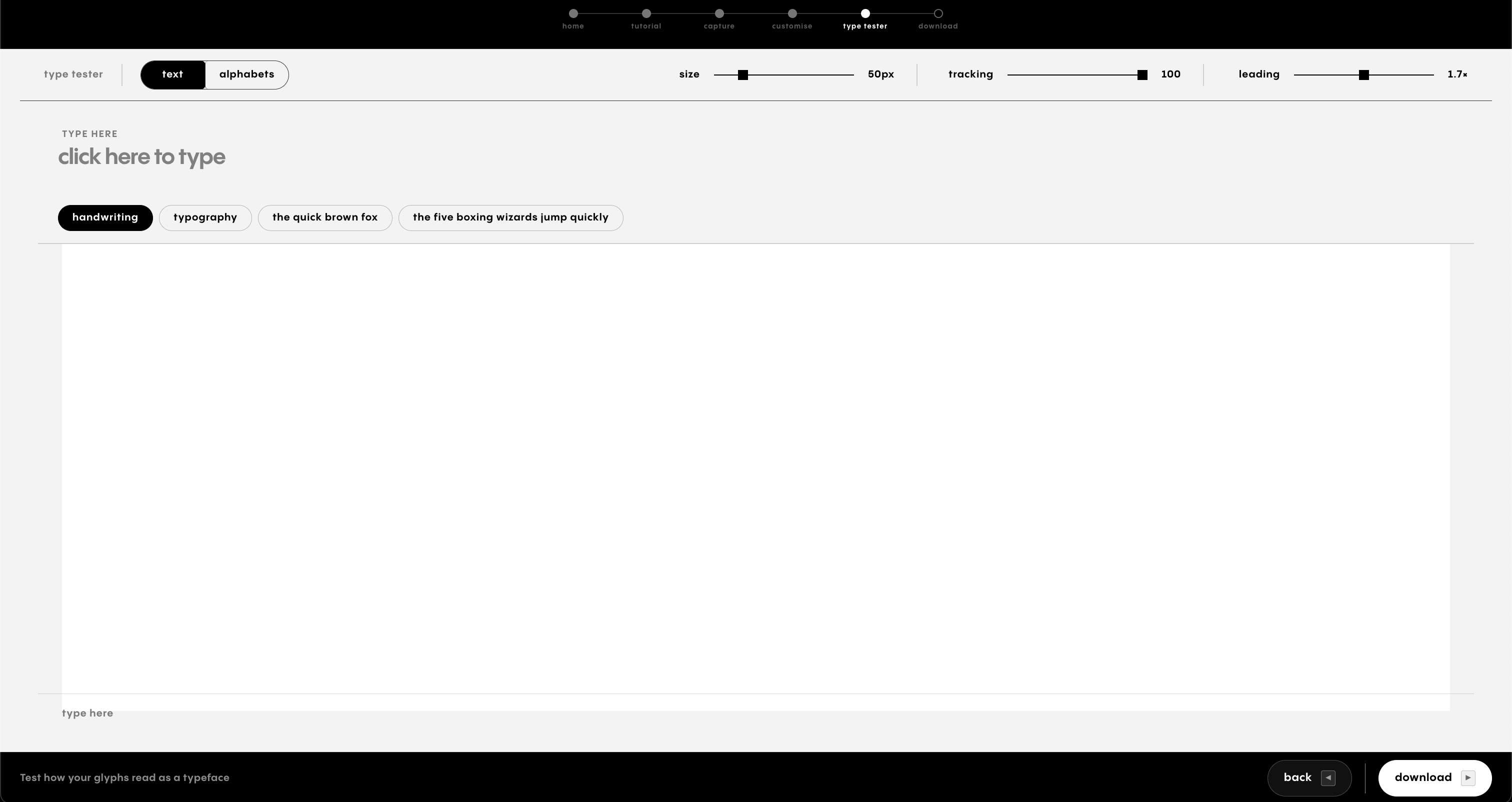
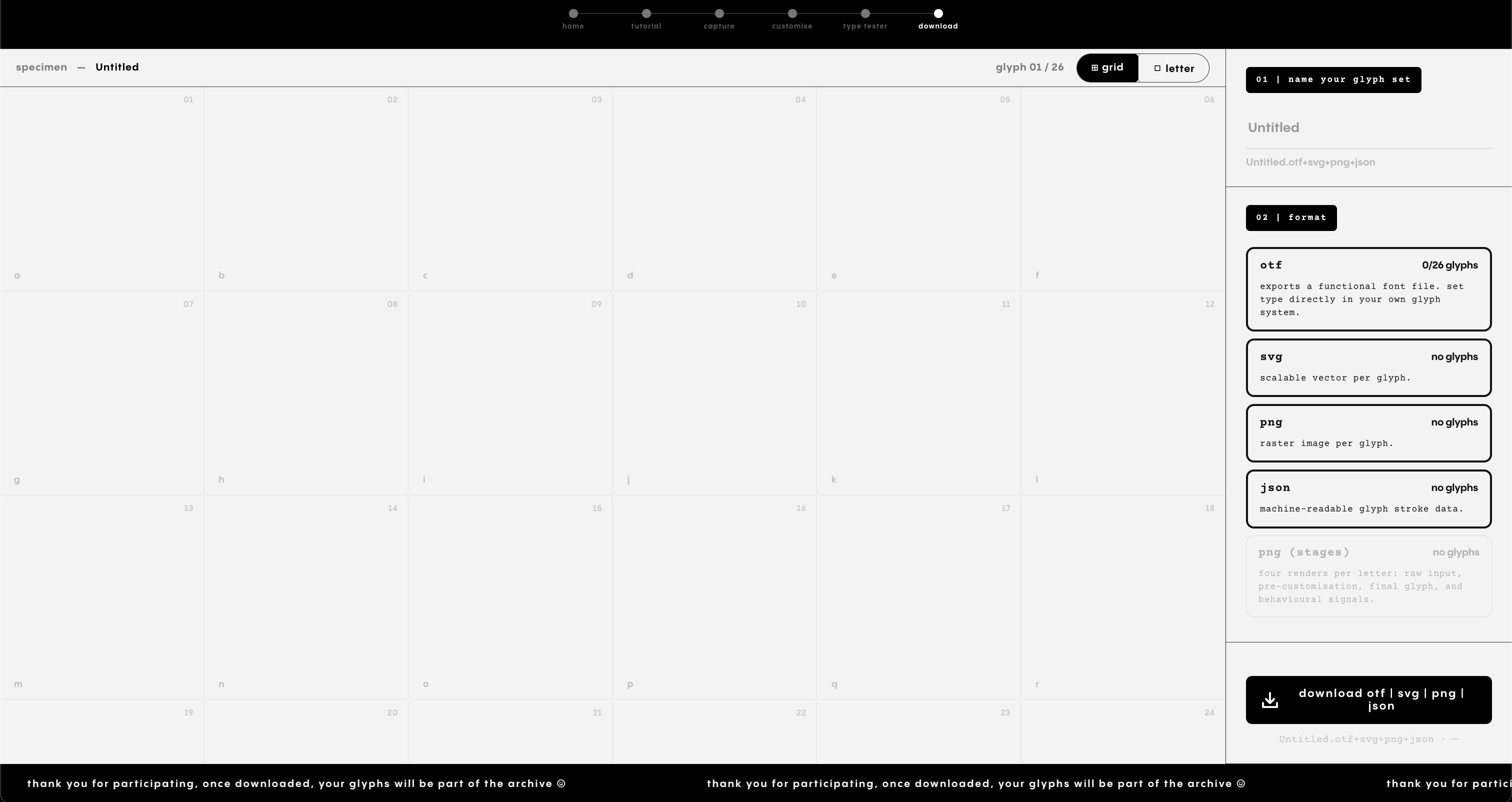
By this stage, the core website pages were also becoming more defined as working parts of the tool. Together, these pages form the main user flow of the website. Rather than behaving as separate screens, they act as connected stages within one behavioural typographic system.
- Capture page
Records handwriting and displays behavioural signals. - Customise page
Allows signal-based adjustments to the reconstruction. - Type tester page
Previews the glyphs in text and specimen format. - Download page
Prepares the outputs for export.
[ Reflection ]
A connected system
This week helped me understand the website less as a collection of pages and more as a connected system. The tool only works if capture, storage, reconstruction, and output remain linked.
[ Next step ]
Conduct workshop
Use the website with participants to test how the system performs in a real interaction setting.
[ Next step ]
Plan collaterals
Translate the website outputs into supporting physical materials for display, engagement, and documentation.